Guides
POS software vs billing software: what is the difference?
Where they overlap, where they differ, and how to tell which one your business needs.
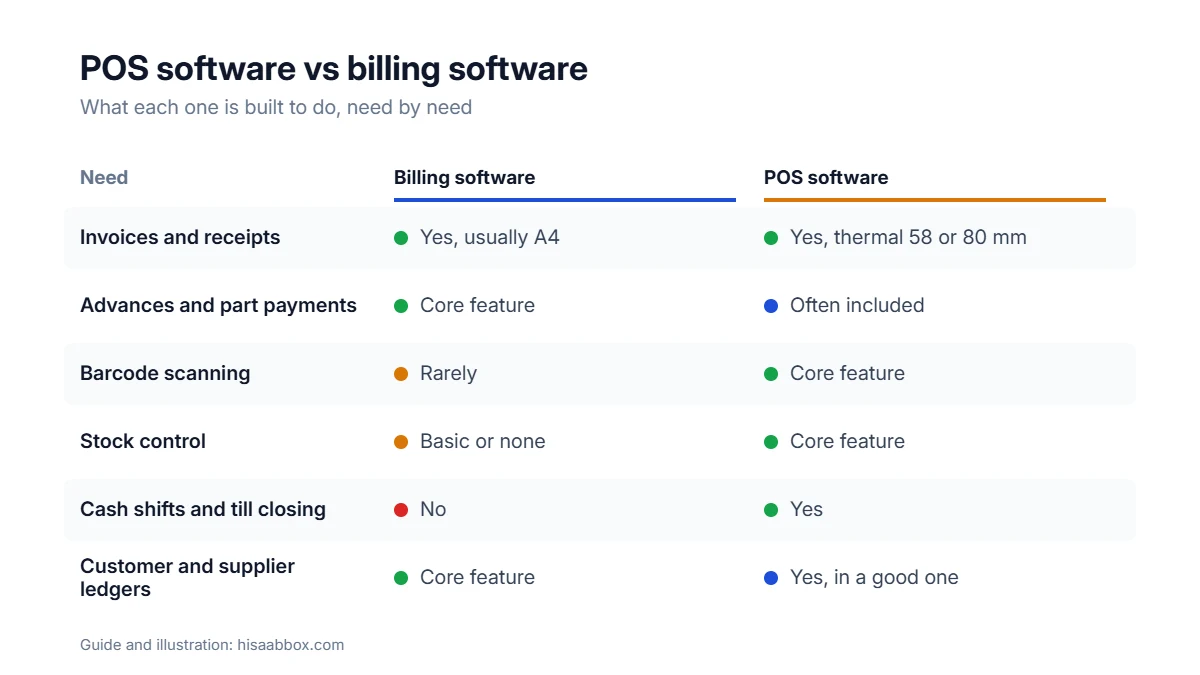
A shop owner asks for "billing software" and gets shown a full POS with shifts and stock. Another asks for a "POS" when all they need is a clean invoice and a list of who owes them money. The two words are used as if they mean the same thing. They do not, and knowing the difference saves you from paying for the wrong tool.
What billing software does
Billing software is about documents and balances. It makes invoices and receipts, records advances and part payments, and keeps an account for every customer and supplier. Its main question is: who owes how much, and can I print a statement to prove it?
A contractor who sends a quotation, takes 40 percent advance and collects the rest over three months needs billing software. So does a wholesaler who sells on udhaar (credit) and collects weekly.
What POS software does
POS means point of sale. It is built for the counter: scan a barcode, the item appears on the bill, take payment, print the receipt, next customer. Around that sits everything a busy shop needs: stock that goes down with each sale, cash shifts that are opened and closed, returns and exchanges, and reports that show today's sales and profit.
Side by side
| Need | Billing software | POS software |
|---|---|---|
| Invoices and receipts | Yes, usually A4 | Yes, usually thermal 58 or 80 mm |
| Advances and part payments | Core feature | Often included |
| Barcode scanning | Rarely | Core feature |
| Stock control | Basic or none | Core feature |
| Cash shifts and till closing | No | Yes |
| Customer and supplier ledgers | Core feature | Yes, in a good one |
Which one do you need?
- If customers walk in, pick items and pay at a counter, you need a POS.
- If you quote, invoice and collect over time, you need billing software.
- If you do both, for example a tailor who sells cloth at the counter and takes stitching orders with advances, you need one system that handles both.
Most of the software we build at HisaabBox sits in that third group. Our products combine a fast counter with advances, dues and statements, because real shops rarely fit in one box.
What to do next
Write down what happens from the moment a customer arrives to the moment the last rupee is collected. If that list includes scanning and stock, look at POS systems. If it includes quotations and instalments, look at billing. Then read our checklist on how to choose POS software in Pakistan, or ask us for a demo account and try it with your own items.
More guides

Zubair Aslam builds the POS, billing and inventory software shown on this site. Get in touch