POS
Restaurant POS software in Pakistan: a complete feature guide
Dine-in, takeaway, delivery, kitchen tickets and reports: what a restaurant POS has to get right.
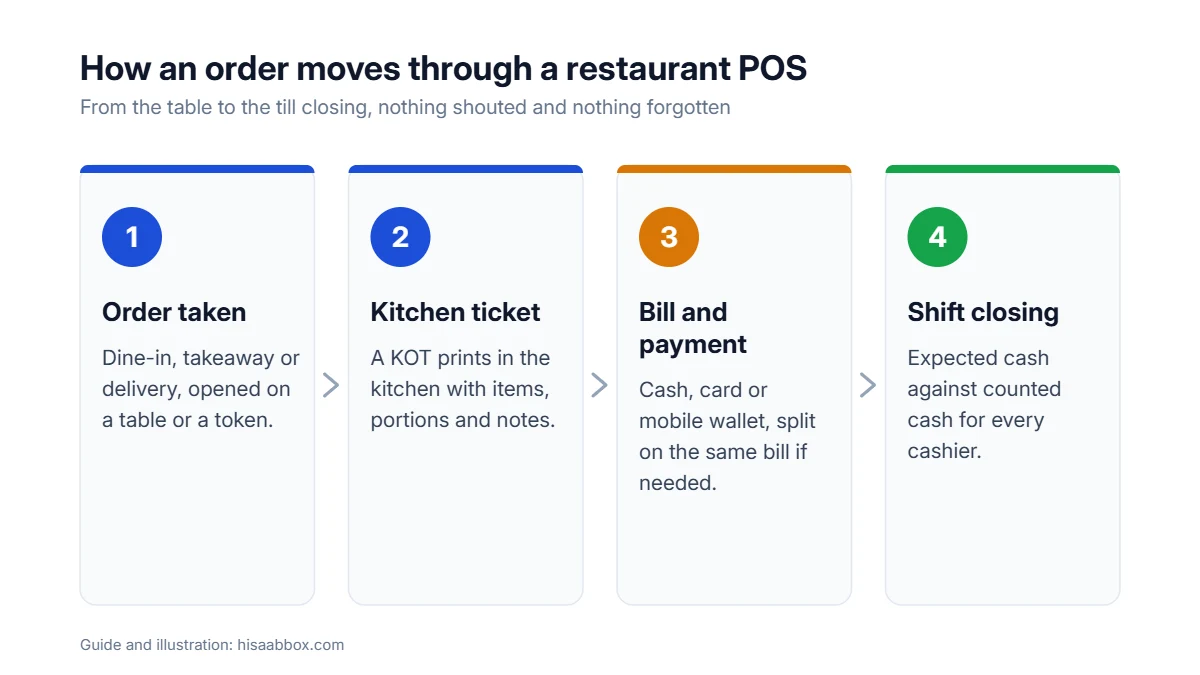
On a busy Friday night a restaurant has three kinds of orders arriving at once: tables inside, people waiting for takeaway, and riders collecting deliveries. A handwritten slip gets lost, the kitchen makes the wrong burger, and at closing time the cash does not match. A restaurant POS is built to stop exactly that.
What makes a restaurant POS different
A shop sells a product and the sale is finished. A restaurant takes an order, sends it to the kitchen, may add more items later, and only then takes payment. The software has to keep an order open, know which table it belongs to, and tell the kitchen what to cook.
Core features to look for
| Feature | Why it matters |
|---|---|
| Order types | Dine-in, takeaway and delivery handled separately, each with its own report. |
| Tables and guests | Open an order on a table, add to it, and close it when the guests pay. |
| Kitchen order ticket (KOT) | A printed ticket for the kitchen so nothing is shouted or forgotten. |
| Menu with portions | Half and full, small and large, with the right price for each. |
| Fast touch screen ordering | Menu items as large buttons by category, usable on a tablet. |
| Split and mixed payments | Cash, card and mobile wallets on the same bill. |
| Shift and till closing | Expected cash against counted cash for every cashier. |
Kitchen tickets save more than paper
The kitchen ticket is the heart of a restaurant system. When the cashier presses a button, the order prints in the kitchen with the table number, the items and any notes. If the customer adds a drink later, only the new item is sent. This one feature removes most wrong orders and most arguments between the counter and the kitchen.
Ingredients and stock
A restaurant buys chicken, oil, buns and cold drinks, not zinger burgers. Good software lets you keep ingredients as stock that is hidden from the menu, while packaged drinks are sold directly. At minimum you should be able to record purchases and see what you spent on supplies against what you sold.
Reports that tell you how the restaurant is doing
- Sales by order type: dine-in, takeaway and delivery
- Sales by table and by cashier
- Best-selling and worst-selling menu items
- Busiest hours and best weekdays
- Expenses and profit for the day and the month
Hardware you will need
- A computer, laptop or tablet at the counter
- An 80 mm thermal printer for customer receipts
- A second thermal printer in the kitchen for tickets, if the kitchen is separate
- A cash drawer
Our guide on 58 mm vs 80 mm thermal printers explains which printer suits which job.
Choosing a restaurant POS
- Take a demo and enter a real order: one table, four items, one added later.
- Print the kitchen ticket and the customer bill.
- Close the shift and check the cash report.
- Ask whether you can see sales from your phone.
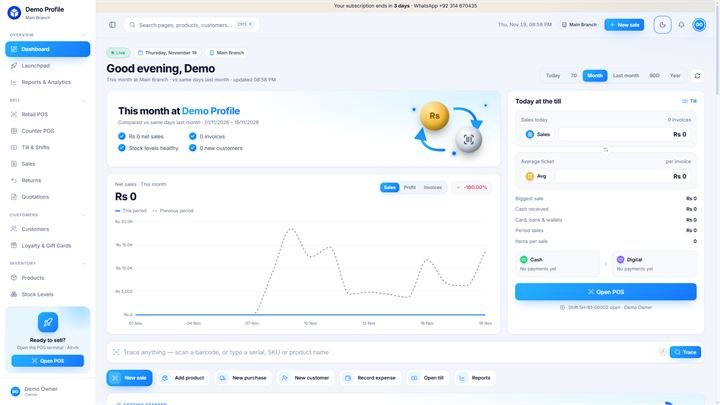
See it in our work or ask for a demo account.
Common questions
What is a KOT in a restaurant POS?
KOT means kitchen order ticket. It is a slip printed in the kitchen that lists the table and the items to prepare, so orders are not lost or misheard.
Can a restaurant POS run on a tablet?
Yes. A web-based restaurant POS runs in the browser of a tablet, laptop or desktop, with a touch layout for menu items.
Does restaurant POS software handle delivery and takeaway?
A good restaurant POS records dine-in, takeaway and delivery as separate order types and reports on each one.
More guides

Zubair Aslam builds the POS, billing and inventory software shown on this site. Get in touch