Billing
Udhaar khata on software: how to track customer credit
Replace the udhaar register with customer ledgers, part payments, credit limits and statements you can share in seconds.
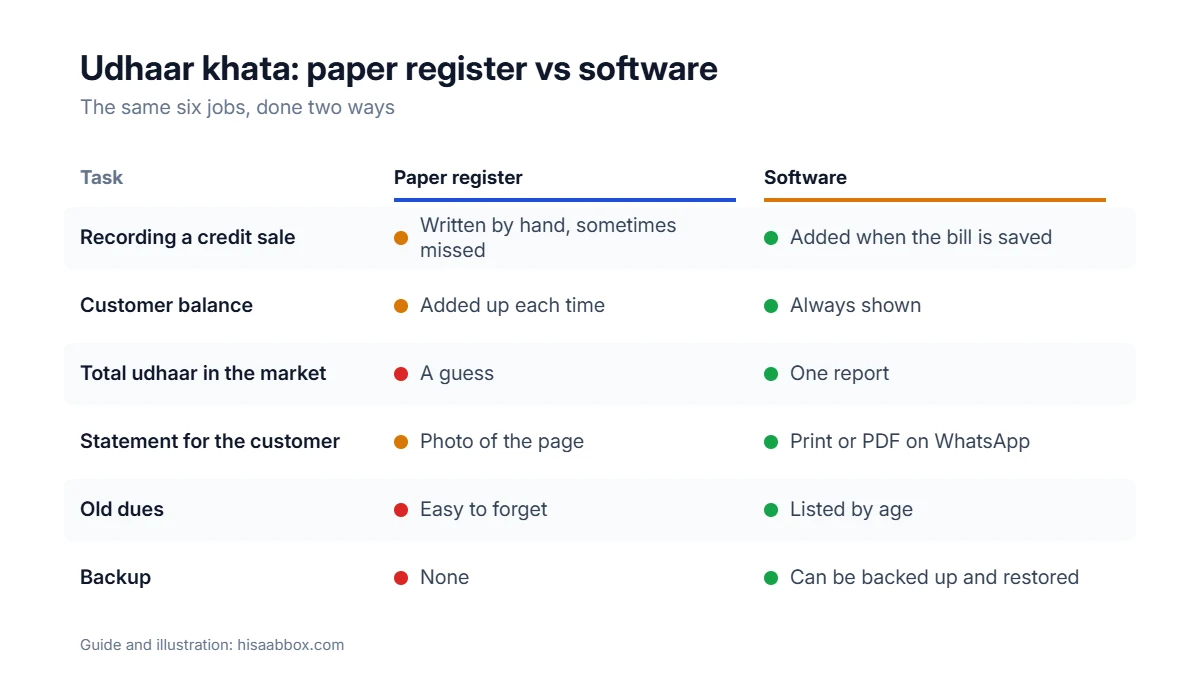
Almost every shop in Pakistan sells on udhaar. The kiryana store gives a month of groceries, the wholesaler gives stock for two weeks, the tailor hands over suits against an advance. Credit keeps customers loyal. It also quietly eats profit when it is written in a register that only one person can read.
This guide explains what goes wrong with a paper khata, what software does differently, and how to move your balances across without losing a rupee.
What goes wrong with a paper khata
- Entries are missed. During rush hour a helper hands over the goods and forgets to write them down.
- Totals are wrong. Adding three pages of entries by hand at the counter leads to mistakes, and mistakes lead to arguments.
- Nobody knows the full amount. Ask most owners how much the whole market owes them and they can only guess.
- Old dues are forgotten. A customer who stopped coming six months ago still owes money, but his page is buried.
- One register, one risk. Water, fire or a lost register wipes out the record.
What udhaar khata software does
A ledger for every customer
Each customer has an account. Every credit sale is added to it automatically when the bill is made, so nothing depends on someone remembering to write it down. Every payment is recorded against the same account, and the balance is always up to date.
Part payments and advances
Customers rarely clear the full amount. The software should accept any amount, reduce the balance and show the date and amount of each payment. It should also handle the opposite case: a customer who pays in advance and takes goods against it.
Credit limits
You decide how much udhaar each customer may take. When a bill would push the balance over that limit, the cashier sees a warning. The owner can allow it, but it no longer happens silently.
Statements in seconds
When a customer asks for the hisaab, you open the account and print a statement or share it on WhatsApp as a PDF. Each line shows the date, the bill and the amount. Customers argue far less with a printed statement than with a handwritten page.
Who owes what, on one screen
A receivables report lists every customer with a balance, the total owed to the shop and how old each due is. This is the list you collect from.
Register and software side by side
| Task | Paper register | Software |
|---|---|---|
| Recording a credit sale | Written by hand, sometimes missed | Added when the bill is saved |
| Customer balance | Added up each time | Always shown |
| Total udhaar in the market | A guess | One report |
| Statement for the customer | Photo of the page | Print or PDF on WhatsApp |
| Old dues | Easy to forget | Listed by age |
| Backup | None | Can be backed up and restored |
How to move your khata to software
- Pick a cut-off date. For example, the first of next month. Everything before that date stays in the register.
- Total each customer's page. Work out one closing balance for every customer on the cut-off date.
- Enter it as an opening balance. Create the customer in the software with name, phone number and that one figure.
- Confirm with big accounts. For customers with large balances, share the opening figure with them so both sides agree from day one.
- Make every credit sale on the software. From the cut-off date, no udhaar leaves the shop without a bill.
Five habits that reduce bad debt
- Save a phone number for every credit customer, not just a name.
- Set a limit for each customer and review it every few months.
- Send statements on a fixed date, such as the first of every month.
- Look at the receivables report once a week and call the oldest dues first.
- Record every payment at the moment you receive it, even small ones.
Do you need a khata app or full billing software?
A simple khata app on your phone only records "gave" and "got". That is enough for a very small shop. Once you also want bills, stock and profit, you need the udhaar inside your billing or POS system, so one entry updates the bill, the stock and the customer account together. Our guide to billing software for small business in Pakistan explains what to look for, and POS software vs billing software explains the difference between the two.
The software we build at HisaabBox keeps credit customers, advances and dues next to the counter. Ask for a demo account and enter a few of your own customers to see how it feels.
Common questions
What is udhaar khata software?
It is software that keeps an account for every credit customer. Credit sales and payments are recorded against the customer and the balance is always up to date.
How do I move my old udhaar register to software?
Choose a cut-off date, total each customer page in the register and enter that figure as the opening balance in the software. From that date, make every credit sale through the software.
Can I send a customer their statement on WhatsApp?
Yes. Good billing software lets you print a customer statement or save it as a PDF that you can share on WhatsApp.
More guides

Zubair Aslam builds the POS, billing and inventory software shown on this site. Get in touch