Guides
Cloud POS vs offline POS: which is right for your shop?
Online or installed on one computer? How the two compare on internet, load shedding, cost, backups and branches.
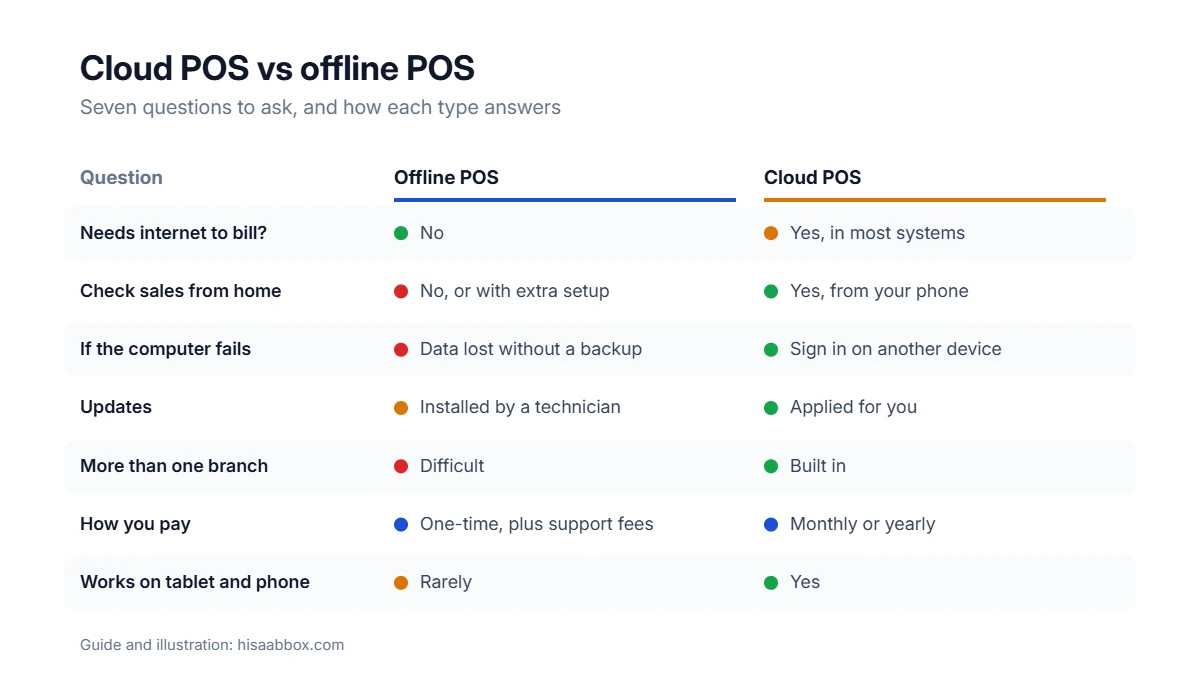
When you shop for POS software in Pakistan, sellers offer two kinds. One is installed on the computer in your shop and works without internet. The other runs in a browser and keeps your data on a server. Each seller will tell you theirs is the only sensible choice. The honest answer is that it depends on your shop.
What offline POS means
Offline or desktop POS is a program installed on one computer. The data lives on that computer's hard disk. It needs no internet to make a bill. If you have more than one counter, the computers are joined by a cable or local network inside the shop.
What cloud POS means
Cloud POS is opened in a browser such as Chrome, on a computer, tablet or phone. You sign in with a username and password. The data is stored on a server, so the same account can be opened from the shop, from home or from a second branch.
Side by side
| Question | Offline POS | Cloud POS |
|---|---|---|
| Needs internet to bill? | No | Yes, in most systems |
| Check sales from home | No, or with extra setup | Yes, from your phone |
| If the computer fails | Data is lost unless you made a backup | Sign in on another device |
| Updates | Installed by a technician | Applied for you |
| More than one branch | Difficult | Built in |
| How you pay | Usually one-time, plus support fees | Usually monthly or yearly |
| Works on tablet and phone | Rarely | Yes |
The internet and load shedding question
This is the first worry every shop owner raises, and it is a fair one. A few points help:
- Billing uses very little data. A POS screen sends small amounts of text. A phone hotspot is enough to keep a counter running when the main connection drops.
- Keep two connections. A broadband line plus a mobile data SIM from a different company covers most outages.
- Power matters for both kinds. An offline POS on a desktop computer also stops when the light goes. A small UPS for the computer, router and printer solves this for either type. A laptop or tablet has its own battery.
If your area has no reliable mobile data at all, an offline system is the safer choice. Be honest about this before you buy.
When offline POS makes sense
- Your shop is in an area with weak or no internet.
- You have one counter and one branch, and no plan to grow.
- You or someone you trust will take a backup to a USB drive every single day.
When cloud POS makes sense
- You are not in the shop all day and want to see sales, stock and cash from your phone.
- You have, or plan to have, more than one branch.
- You do not want to depend on one computer and one hard disk.
- You want to start without buying a server or paying a large amount up front.
Questions to ask before you buy
- If my computer is stolen or dies tomorrow, how do I get my data back, and how long does it take?
- Who takes the backup, how often, and where is it kept?
- Can I export my items, customers and sales to Excel if I leave?
- What happens to billing when the internet drops for an hour?
- Are updates and support included in what I pay, or charged separately?
- Can each staff member have their own login with limited rights?
A seller who answers these clearly is worth more than one with a longer feature list. For the full checklist, see how to choose POS software in Pakistan. For how each type is priced, see POS software price in Pakistan.
How HisaabBox works
The software we build at HisaabBox runs in the browser. Each business gets a private account, works on desktop, tablet and phone, and receives updates without installing anything. That suits owners who want to watch the shop from anywhere. If you want to test it on your own connection first, ask for a demo account and try it from your counter for a few days.
Common questions
Does cloud POS work without internet?
Most cloud POS systems need an internet connection to make a bill. A mobile data hotspot is usually enough as a backup when the main connection drops.
Is my data safe in cloud POS?
Your data is kept on a server instead of one shop computer, so a failed or stolen computer does not lose it. Ask the provider who takes backups and whether you can export your data.
Which is cheaper, cloud or offline POS?
Offline POS is usually a one-time payment plus support fees. Cloud POS is usually a monthly or yearly subscription that includes updates. Compare the total cost over two years.
More guides

Zubair Aslam builds the POS, billing and inventory software shown on this site. Get in touch