POS
Kiryana store software in Pakistan: what a general store needs
Fast billing, loose items sold by weight, udhaar, stock and expiry: the features a kiryana or general store should insist on.
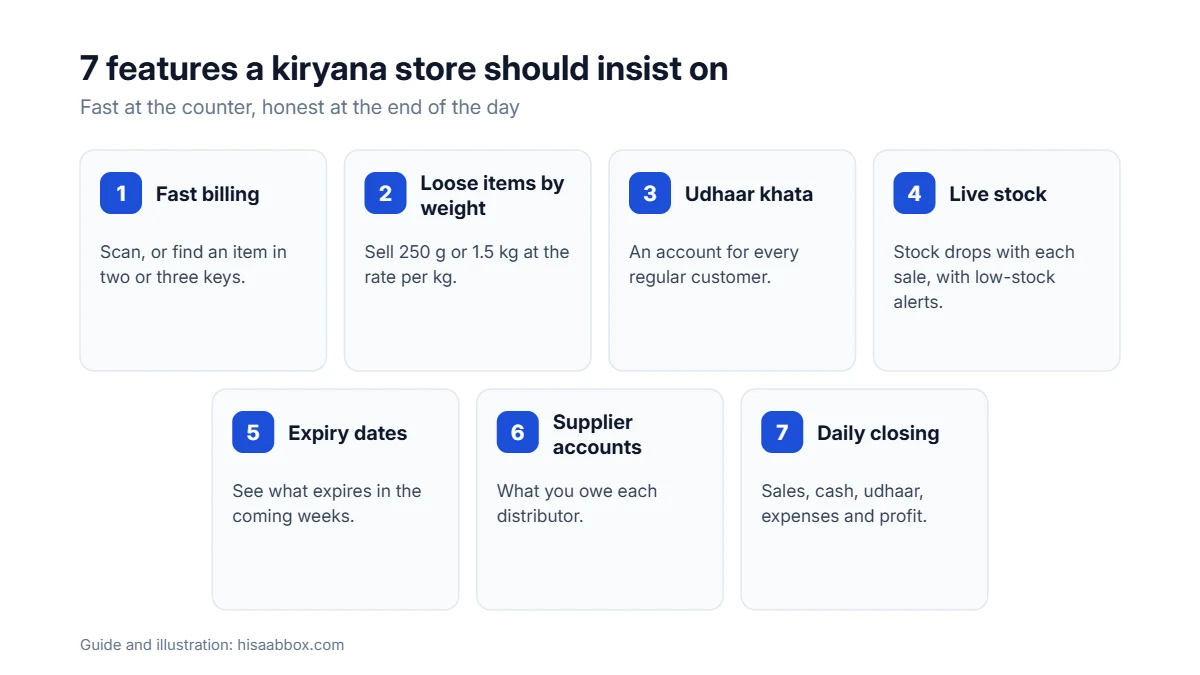
A kiryana store sells hundreds of small items to the same families every week. Margins are thin, the counter is busy from morning to night, and half the mohalla buys on udhaar. Most owners still run all of this from memory and a register. It works until the day the shop grows, a helper joins, or the month ends and nobody can say where the profit went.
Software for a kiryana or general store does not need to be complicated. It needs to be fast at the counter and honest at the end of the day. This guide lists what to look for.
Why a general store is different from other shops
- Many small bills. A customer buys five items for a few hundred rupees. If a bill takes more than a few seconds, a queue forms.
- Loose and packed items together. Sugar, daal and rice are sold by weight. Biscuits and soap are sold by piece.
- Prices change often. Ghee, flour and sugar rates move every few weeks, sometimes every few days.
- Udhaar is normal. Regular customers pay at the start of the month, not at the counter.
- Items expire. Milk packs, bread, juices and snacks all carry a date.
Features a kiryana store should insist on
1. Billing that keeps up with the counter
Scan a barcode and the item is on the bill. For items without a barcode, a short code or a search by name should find it in two or three keystrokes. The cashier should be able to hold one bill, serve the next customer and come back to the first.
2. Loose items by weight
The software should let you sell 250 grams or 1.5 kg of an item and work out the price from the rate per kg. Stock should also come down by weight, so a 50 kg bag of sugar shows 48.5 kg after a few sales.
3. Udhaar khata for every customer
Each regular customer needs an account: what they took, what they paid and what is still due. When they ask "mera hisaab kitna hai?" you should be able to answer in seconds and print or share a statement. We cover this in detail in our guide to keeping udhaar khata on software.
4. Stock that goes down with every sale
You should see what is on the shelf without counting it, and get a low-stock list before an item runs out, not after a customer asks for it. Our article on how to manage shop inventory explains a simple system for this.
5. Expiry dates
When you enter a purchase, you record the expiry date. The software then shows what will expire in the next few weeks, so you can sell it first or return it to the supplier in time.
6. Supplier accounts
Distributors deliver on credit and collect later. A supplier ledger shows what you received, what you paid and what you still owe each company.
7. Daily closing and profit
At night you should see total sales, cash in the drawer, udhaar given, expenses and profit for the day. If the cash in the drawer does not match, you find out the same day and not at the end of the month.
Hardware you need to start
| Item | What it is for | Needed on day one? |
|---|---|---|
| Computer, laptop or tablet | Runs the software | Yes |
| Barcode scanner | Adds items to the bill quickly | Yes |
| Thermal receipt printer | Prints the customer receipt | Yes, for most shops |
| Barcode label printer | Labels for items without a barcode | Later |
| Cash drawer | Opens when a bill is printed | Optional |
If you are not sure which printer to buy, read our comparison of 58mm and 80mm thermal printers. For labels and scanners, see how to set up a barcode system.
How to move from a register to software
- Start with your fast sellers. Enter the 200 or 300 items that make most of your sales. Add the rest over the following weeks.
- Enter opening balances. Copy each customer's udhaar and each supplier's balance from the register on one fixed date.
- Run both for one week. Keep the register beside the computer for a week and compare the totals every night.
- Train one person well. One trained cashier teaches the others faster than any manual.
- Close the register. Once the totals match for a week, stop writing in the register.
Mistakes to avoid
- Buying heavy software made for supermarkets, with screens your staff will never open.
- Entering every item in the shop before making the first sale. Start small and start now.
- Giving every cashier the owner's password. Cashiers should not see cost price or be able to delete bills.
- Skipping purchase entry. If stock is not entered when it arrives, the stock report means nothing.
What to do next
Write down your ten most common tasks at the counter and ask any seller to show you those ten on the screen. At HisaabBox, our Universal POS has a setting for general stores that switches on the fields a kiryana shop uses. You can ask for a demo account with sample data and try it before you decide.
Common questions
Which software is best for a kiryana store in Pakistan?
One that bills quickly by barcode, sells loose items by weight, keeps an udhaar account for each customer and shows stock and daily profit. Ask for a demo and test it with your own items before paying.
Can a kiryana store software work on a mobile phone?
Browser-based POS software works on a phone, tablet or computer. Many owners bill on a computer at the counter and check sales from their phone.
Do I need to enter every item before I start?
No. Start with the 200 to 300 items that sell most often and add the rest over the following weeks.
More guides

Zubair Aslam builds the POS, billing and inventory software shown on this site. Get in touch